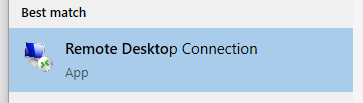
1. Click the Start Button and type “Remote Desktop Connection” in the search bar
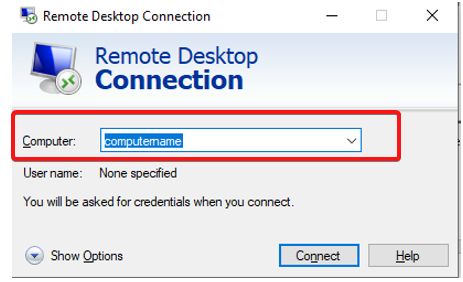
2. Enter the Computer name or IP address provided
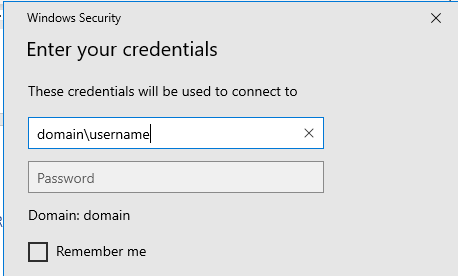
3. Enter login credentials (normal credentials used inside the office)
1. Click the Start Button and type “Remote Desktop Connection” in the search bar

2. Enter the Computer name or IP address provided

3. Enter login credentials (normal credentials used inside the office)

You might also be interested in...
© 2026 ResQ Limited. All Rights Reserved.
Our friendly team is ready to answer any questions you may have. If you are interested in any of our products or services, then have a discussion with us!
Get the latest IT insights delivered straight to your inbox.
Our monthly newsletter includes:
By submitting, you agree to receive emails from ResQ. We wont’s spend you spam. Just information we think you’ll be interested in.